Best Internal SSD for Video Editing and Content Creation 2026: 990 PRO, P310, T705 or P510 Gen5 — Which One for DaVinci / Premiere?

best ssd for video editing 2026 ssd for davinci resolve premiere pro nvme ssd ssd cache video editing ssd for content creators samsung 990 pro video editing

Which internal NVMe SSD for DaVinci Resolve or Premiere Pro in 2026? Post-SLC-cache write speed, TBW, DRAM or HMB compared from published reviews, plus the right system / cache / media setup according to Adobe and Blackmagic.

The short answer: which SSD for DaVinci Resolve or Premiere Pro in 2026?

For video editing, the speed printed on the box matters less than what happens once the SLC cache is full: that is when importing footage or rendering cache files slows down. So we compared sustained write speed measured in reviews, endurance (TBW) and whether the drive has DRAM.

  • Best media or cache drive, if your motherboard has a PCIe 5.0 slot: Crucial T705, around 4 GB/s even after the cache.
  • Best choice for most creators: Samsung 990 PRO 2 TB, with DRAM, high endurance, at home in any PCIe 4.0 slot.
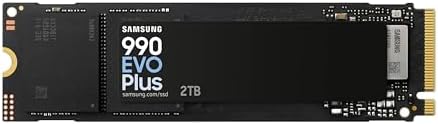
  • The smart all-rounder: Samsung 990 EVO Plus 2 TB, same cache as the 990 PRO, without DRAM.
  • The sensible Gen5: Crucial P510, small cache but steady writes around 2 GB/s.
  • For the system drive only: Crucial P310, very fast day to day but QLC.

This guide focuses on content creation. To choose an SSD by generation or capacity, see our guides to PCIe 4.0 SSDs and PCIe 5.0 SSDs.

SSD Interface NAND / DRAM Measured SLC cache Write speed after cache Endurance (TBW) Recommended role
Crucial T705 2 TB PCIe 5.0 TLC / DRAM About 220 GB About 4 GB/s 1,200 TB Media or cache for 4K/6K RAW
Samsung 990 PRO 2 TB PCIe 4.0 TLC / DRAM About 226 to 240 GB 1.4 to 1.7 GB/s 1,200 TB Media or cache, any use
Samsung 990 EVO Plus 2 TB PCIe 4.0 (or 5.0 x2) TLC / DRAM-less (HMB) About 226 GB About 1.5 GB/s 1,200 TB Media, occasional cache
Crucial P510 1 TB PCIe 5.0 TLC / DRAM-less (HMB) About 70 GB About 2.1 GB/s (2 TB tested) 600 TB Cache or active projects
Crucial P310 2 TB PCIe 4.0 QLC / DRAM-less (HMB) About 400 GB About 340 MB/s 440 TB System, project archive
WD Green SN3000 2 TB PCIe 4.0 QLC / DRAM-less About 400 GB About 350 MB/s 250 TB Secondary storage only
Swipe to view more

How to read this table

Interfaces, NAND types and TBW come from the manufacturers’ spec sheets. Cache sizes and post-cache speeds come from published reviews: Tom’s Hardware (T705, 990 PRO, 990 EVO Plus, P510 2 TB, P310), TechPowerUp and ComputerBase (990 PRO, P510 1 TB) and Chimolog / SSD-Tester (SN3000). These measurements are taken on an empty drive: the fuller your SSD, the smaller its dynamic cache.

All these models have a 5-year warranty except the WD Green SN3000 (3 years). TBW is the amount of data you can write before the warranty ends: 1,200 TB means more than 650 GB written every day for 5 years.

What really matters in an SSD for video editing

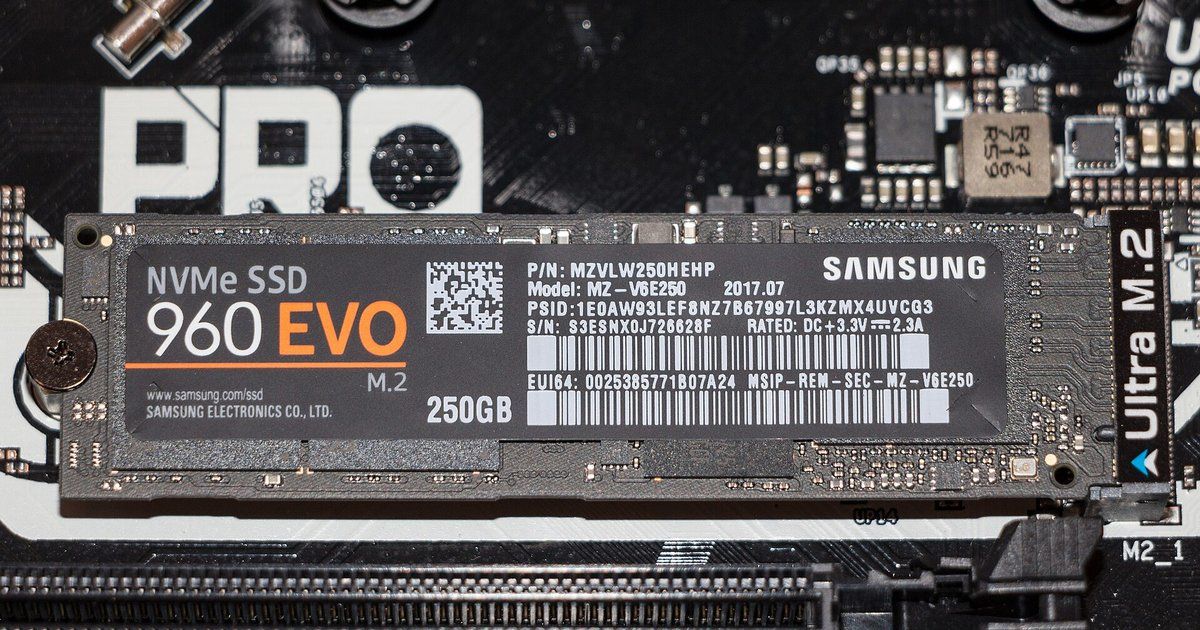
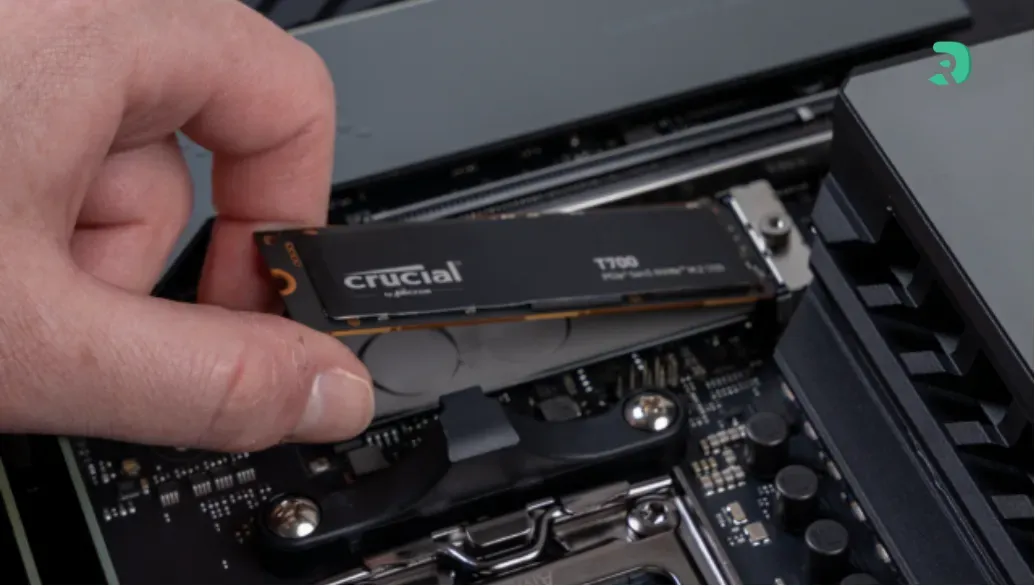
SSD M.2 NVMe installé dans le slot M.2 d’une carte mère Click to enlarge
  • Write speed after the SLC cache: an SSD first writes to a fast area (the SLC cache), then slows down once it is full. Copying 300 GB of footage or generating render cache can overflow it: a QLC drive then drops to a few hundred MB/s, while a good TLC drive stays above 1.4 GB/s.

For a cache or media drive, go for TLC NAND: QLC writes more slowly once the cache is full and has a lower TBW. We explain the differences in our guide to SSD types.

  • DRAM: an SSD with DRAM keeps its mapping table in dedicated memory and stays more consistent under heavy load. DRAM-less SSDs borrow a little of the PC’s RAM (HMB): great for the system and projects, slightly less consistent for a cache that is hammered non-stop.
  • TBW: a cache drive is rewritten constantly. A TBW of 1,200 TB leaves a huge margin, 250 TB much less.
  • Capacity: One hour of 4K footage can take several hundred GB depending on the codec. For a media drive, 2 TB is a comfortable minimum, 4 TB if you shoot a lot.

For large amounts of footage, also check our selection of 4 TB SSDs.

The right setup: one SSD for the system, one for cache, one for media

Adobe spells it out in its storage recommendations for Premiere: a fast SSD for the OS and apps, a separate SSD for the media cache, and a fast NVMe SSD for media. If you only have two drives, Adobe advises putting the media cache and media on the same one. The cache should stay on a local drive, never on a NAS.

On the Blackmagic side, the DaVinci Resolve configuration guide states that the first volume listed in Preferences > Media Storage is used for cache files and gallery stills, so it should be your fast, always-connected drive. Media can then live on one or more other drives.

2-SSD setup (the most common)

  • SSD 1: Windows, apps and project library. 1 TB is enough, and a QLC drive like the P310 does the job.
  • SSD 2: footage, cache and proxies. This is where you want a high-endurance TLC drive of 2 TB or more: 990 PRO, 990 EVO Plus or T705.

3-SSD setup (4K/6K editing, multicam)

  • SSD 1: system and apps.
  • SSD 2: media cache, render cache and proxies, on a very durable SSD (T705, 990 PRO or P510).
  • SSD 3: footage and projects, 2 or 4 TB.

In Premiere, the cache is set in Preferences > Media Cache. In Resolve, put your fast SSD first in Preferences > Media Storage, then choose the cache location in the project settings.

High end: Crucial T705 or Samsung 990 PRO

The Crucial T705 is the fastest drive here and, above all, the most consistent: after its roughly 220 GB cache, it still writes at around 4 GB/s according to Tom’s Hardware. For a cache drive handling heavy RAW footage or 4K multicam, that is a real advantage. The trade-off: it needs a CPU-connected PCIe 5.0 slot and a good heatsink, and it runs hot.

The Samsung 990 PRO remains the safe bet if your motherboard is PCIe 4.0: DRAM, TLC NAND, 1,200 TBW at 2 TB. Its weak spot is post-cache writing, around 1.4 GB/s at Tom’s Hardware and ComputerBase (1.7 GB/s at TechPowerUp): lower than the T705, but plenty for most 4K edits.

Crucial T705 2 TB PCIe 5.0 NVMe

The best drive here for long writes: after its roughly 220 GB cache, it keeps going at around 4 GB/s according to Tom’s Hardware. Ideal as a media or cache drive for 4K/6K RAW, as long as you have a PCIe 5.0 slot.

Pros
  • About 4 GB/s after the SLC cache (Tom’s Hardware)
  • 2 GB LPDDR4 DRAM, 1,200 TBW, 5-year warranty
  • Rated up to 14,500 / 12,700 MB/s
Cons
  • Runs hot: heatsink required
  • No gain in a PCIe 4.0 slot for most edits
FranceCheck the price in my country
Samsung 990 PRO 2 TB

The safe bet with DRAM for a PCIe 4.0 motherboard: TLC NAND, 1,200 TBW and a roughly 226 GB cache, then 1.4 to 1.7 GB/s after the cache according to reviews.

Pros
  • 2 GB LPDDR4 DRAM, TLC NAND, 1,200 TBW
  • About 226 GB cache, 1.4 to 1.7 GB/s after the cache in reviews
  • Runs at full speed in any PCIe 4.0 slot
Cons
  • Slower post-cache writes than the T705
  • No gain in a PCIe 5.0 slot
FranceCheck the price in my country

Mid-range: Samsung 990 EVO Plus or Crucial P510

The Samsung 990 EVO Plus 2 TB uses the same cache as the 990 PRO (about 226 GB) without the DRAM. After the cache it writes at around 1.5 GB/s and recovers quickly, for a steady state close to 1.8 GB/s according to Tom’s Hardware. As a media drive, the gap to the 990 PRO is small.

The Crucial P510 is a DRAM-less PCIe 5.0 SSD. Its cache is small (about 70 GB on the 1 TB model), but writes stay steady afterwards: 2.1 to 2.2 GB/s on the 2 TB model tested by Tom’s Hardware, before climbing back to around 4 GB/s. A good cache drive if you have a Gen5 slot, ideally in 2 TB.

Samsung 990 EVO Plus 2 TB

The DRAM-less all-rounder: same cache as the 990 PRO, about 1.5 GB/s after the cache and 1.8 GB/s steady state according to Tom’s Hardware.

Pros
  • Same cache as the 990 PRO (about 226 GB)
  • About 1.5 GB/s after the cache, 1.8 GB/s steady state (Tom’s Hardware)
  • 1,200 TBW, 5-year warranty, low power draw
Cons
  • DRAM-less (HMB)
  • Less consistent than the 990 PRO under heavy load
FranceCheck the price in my country
Crucial P510 1 TB PCIe 5.0 NVMe

A frugal DRAM-less (HMB) Gen5 drive: small cache (about 70 GB on 1 TB according to ComputerBase), but writes stay around 2 GB/s after the cache on the 2 TB model tested by Tom’s Hardware.

Pros
  • Decent post-cache writes for a DRAM-less SSD
  • TLC NAND, 600 TBW for 1 TB, 5-year warranty
  • Runs cooler than high-end Gen5 drives
Cons
  • Small SLC cache
  • 1 TB fills up fast with 4K footage
FranceCheck the price in my country

Tight budget: the Crucial P310 for the system, not the cache

The Crucial P310 is very fast day to day and its roughly 400 GB cache absorbs most copies. But as a QLC drive it drops to around 340 MB/s once that cache is full, and its TBW is limited (440 TB at 2 TB). Perfect for Windows and apps, or for archiving finished projects, less so for render cache.

Same logic for the WD Green SN3000: QLC, DRAM-less, 250 TBW and a 3-year warranty. Keep it for secondary storage.

Crucial P310 1 TB PCIe 4.0 NVMe

A good base for the system drive (Windows + apps) of an editing PC, when the budget goes into the media drive.

Pros
  • Good budget system drive
  • Standard M.2 2280, 5-year warranty
Cons
  • DRAM-less QLC: avoid as a cache drive
  • Tight capacity for storing footage
FranceCheck the price in my country
Crucial P310 2 TB PCIe 4.0 NVMe

Fast day to day, but DRAM-less QLC: after its large cache (about 400 GB), writes drop to around 340 MB/s according to Tom’s Hardware. Fine for the system or a project archive, not for a heavily used cache drive.

Pros
  • Large SLC cache (about 400 GB)
  • Very fast for booting Windows and launching apps
  • 5-year warranty
Cons
  • QLC: about 340 MB/s after the cache
  • Only 440 TBW for 2 TB
FranceCheck the price in my country

Is PCIe 5.0 worth it for video editing?

For 4K H.264 or H.265, the CPU and graphics card become the bottleneck long before the SSD: a good PCIe 4.0 drive is enough. PCIe 5.0 becomes interesting for heavy codecs (ProRes, Blackmagic RAW, RED) at 6K/8K, for multicam and for large caches, mostly thanks to the T705’s sustained writes.

Also check your motherboard: a Gen5 SSD works in a PCIe 4.0 slot, but at Gen4 speed. To track availability for all these models, see our storage stock page.

FAQ

What is the best SSD for DaVinci Resolve?

A high-endurance TLC SSD for cache and media: the Crucial T705 if you have a PCIe 5.0 slot, otherwise the Samsung 990 PRO 2 TB. Put it first in Preferences > Media Storage so it receives the cache.

Do you need a separate SSD for the Premiere Pro cache?

Adobe recommends a separate SSD for the media cache. With only two drives, put the cache and media on the same fast SSD and keep the system on the other.

Is a QLC SSD enough for video editing?

For the system or archiving, yes. For a cache drive or massive imports, no: once the SLC cache is full, it writes at only a few hundred MB/s.

Is a DRAM-less SSD a problem?

Not for a media drive: the 990 EVO Plus and P510 do well. For a cache that is hit constantly, a model with DRAM (990 PRO, T705) stays more consistent.

What capacity for 4K editing?

1 TB for the system, at least 2 TB for media and cache. If you shoot a lot of 4K or RAW, go for 4 TB (our selection of 2 TB SSDs and our 4 TB SSD guide will help).

Conclusion

To edit in DaVinci Resolve or Premiere Pro in 2026, split the roles: a simple SSD for the system and a high-endurance TLC SSD for media and cache. The Samsung 990 PRO 2 TB is the best choice for most PCs, the Crucial T705 the fastest if your motherboard is PCIe 5.0, and the 990 EVO Plus or P510 are good compromises. The P310 still has its place, but as a system drive.