Best X870E motherboard in 2026: Crosshair Hero, Strix X870E-E, Taichi Lite, AORUS Pro ICE or Gaming Plus, and when a B850 is enough

best x870e motherboard x870e vs b850 x870e motherboard which x870 motherboard motherboard for 9950x3d motherboard for 9800x3d

X870E or B850? What the high-end AM5 chipset really adds (USB4, PCIe 5.0, M.2), 7 X870E motherboards compared, which one for a Ryzen 9800X3D or 9950X3D, and price segments.

Best X870E motherboard in 2026: the short answer

An X870E motherboard does not deliver any extra FPS versus a solid B850 with the same Ryzen. What you pay for is I/O: guaranteed USB4, guaranteed PCIe 5.0 for the graphics card, plus more PCIe lanes and ports from the dual chipset. Our picks:

  • No-compromise flagship: ASUS ROG Crosshair X870E Hero, for overclocking and a Ryzen 9 9950X3D.
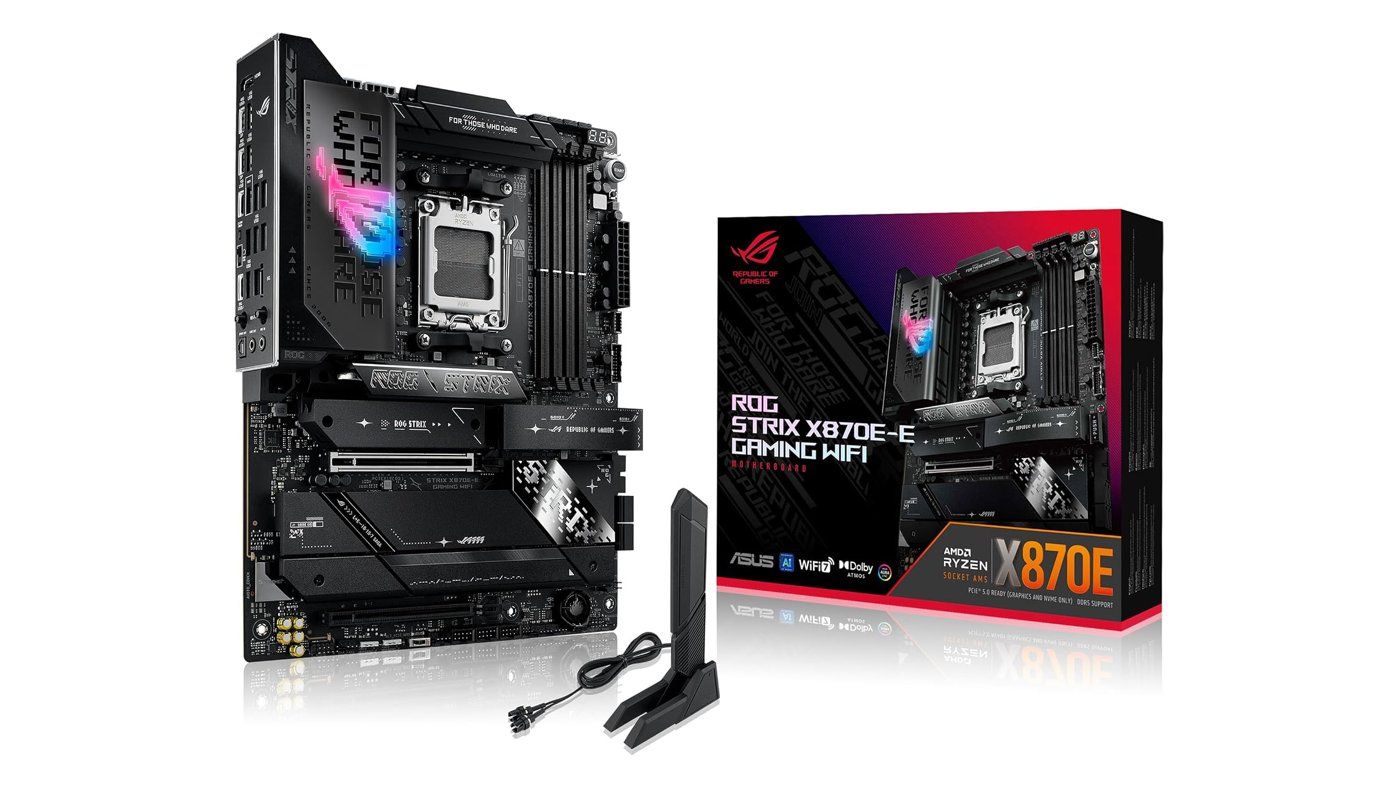
  • Almost a Crosshair: ASUS ROG Strix X870E-E Gaming WiFi, same VRM and five M.2 slots.
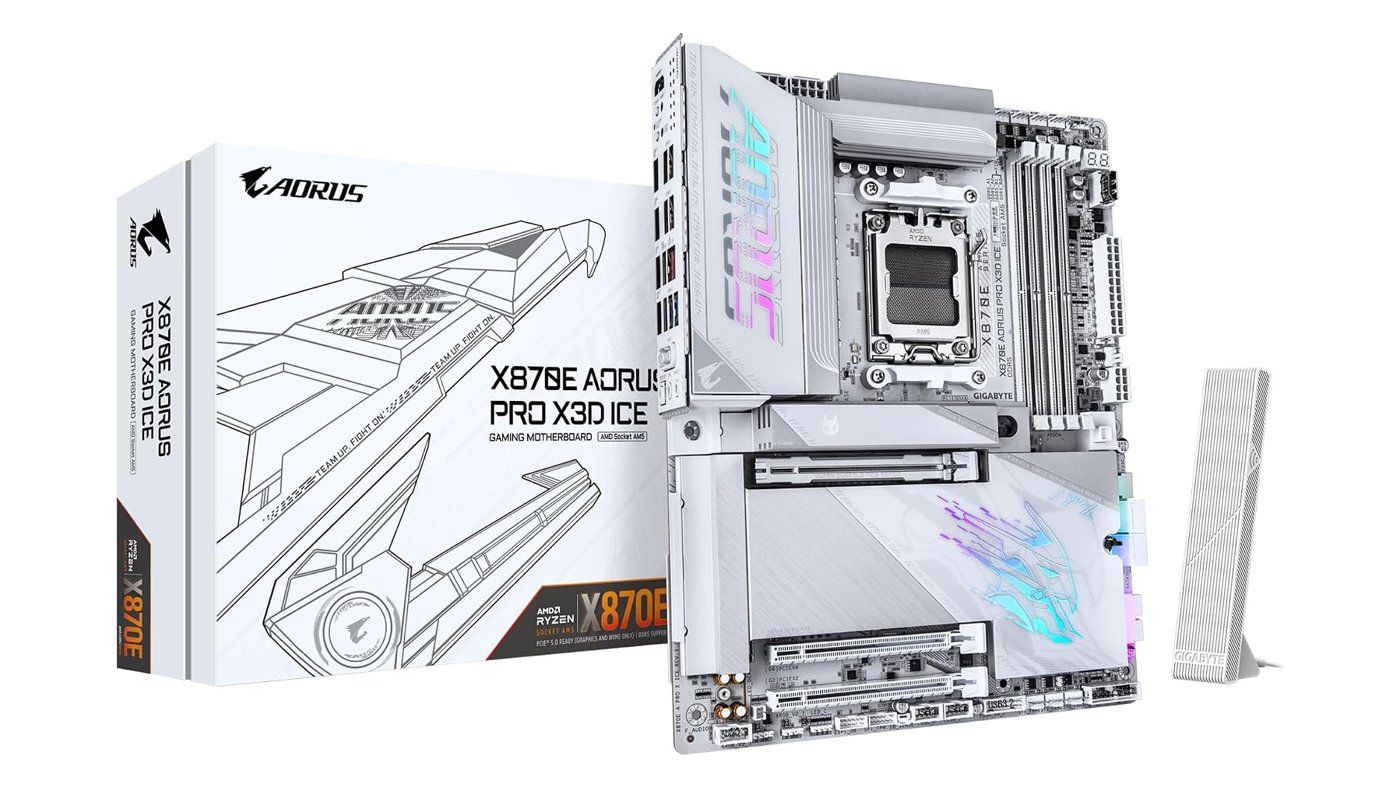
  • Best white build for Ryzen X3D: GIGABYTE X870E AORUS Pro X3D ICE.
  • Most accessible X870E: MSI X870E Gaming Plus WiFi.
  • Best features for the segment: ASRock X870E Nova WiFi.
  • If you do not need USB4: a B850 like the MSI MAG B850 Tomahawk Max WiFi II is enough for gaming.
Carte mère ASUS ROG Strix X870E-E Gaming WiFi et sa boîte Click to enlarge

X870E vs B850: what actually changes

All AM5 800-series chipsets support the same CPUs (Ryzen 7000, 8000 and 9000), DDR5 and overclocking. The difference is what AMD requires from motherboard makers:

  • X870E: two Promontory 21 chips in series, mandatory USB4, mandatory PCIe 5.0 for the GPU and SSD. The richest platform for PCIe lanes, USB and SATA ports.
  • X870: a single Promontory 21 chip, but USB4 and PCIe 5.0 for GPU + SSD remain mandatory.
  • B850: a single chip, mandatory PCIe 5.0 for one SSD only. PCIe 5.0 for the GPU and USB4 are optional, depending on the model.

For the previous generation in detail, read our B650 vs B850 comparison, and our guide on which motherboard chipset to choose.

Criterion (AMD specs) X870E X870 B850
Chipset chips 2 × Promontory 21 1 × Promontory 21 1 × Promontory 21
USB4 Mandatory Mandatory Optional
Graphics card PCIe 5.0 PCIe 5.0 PCIe 4.0 (5.0 on some models)
NVMe SSD PCIe 5.0 x4 PCIe 5.0 x4 PCIe 5.0 x4
Usable PCIe lanes (of which PCIe 5.0) 44 (24) 36 (24) 36 (4)
Max SATA ports 8 4 4
Swipe to view more

7 X870E motherboards compared (plus the reference B850)

Specs checked against manufacturer sheets (ASUS, ASRock, GIGABYTE, MSI). M.2 counts include chipset-linked slots; on several models, filling some Gen5 M.2 slots reduces lanes on the GPU slot.

Motherboard Form factor VRM stages (CPU) M.2 USB4 Wired networking
ASUS ROG Crosshair X870E Hero ATX 18+2+2 (110 A) 5 (3× PCIe 5.0) 2 5 GbE + 2.5 GbE
ASUS ROG Strix X870E-E Gaming WiFi ATX 18+2+2 (110 A) 5 (3× PCIe 5.0) 2 5 GbE
ASRock X870E Taichi Lite E-ATX 24+2+1 (110 A SPS) 4 (1× PCIe 5.0) 2 5 GbE
GIGABYTE X870E AORUS Pro X3D ICE ATX 18+2+2 4 (2× PCIe 5.0) Yes 5 GbE
GIGABYTE X870E AORUS Pro ICE ATX 16+2+2 4 Yes 2.5 GbE
ASRock X870E Nova WiFi ATX 20+2+1 (110 A SPS) 5 (1× PCIe 5.0) 2 5 GbE
MSI X870E Gaming Plus WiFi ATX 14 phases + 2 + 1 (60 A) 3 (1× PCIe 5.0) 1 5 GbE
MSI MAG B850 Tomahawk Max WiFi II ATX 14+2+1 (80 A) 4 (2× PCIe 5.0) No 5 GbE
Swipe to view more

Which motherboard for a Ryzen 7 9800X3D or a Ryzen 9 9950X3D?

For a Ryzen 7 9800X3D in gaming, a well-powered B850 does the same job as an X870E: the CPU draws little power and performance is identical. Pick an X870E if you actually use what it adds:

  • Several fast SSDs: more M.2 slots and chipset lanes (and PCIe 5.0 SSDs that do not steal GPU bandwidth on the AORUS Pro X3D ICE).
  • USB4: fast external SSDs, docks, video out over USB-C.
  • Ryzen 9 9950X3D and overclocking: a stout VRM (Crosshair, Strix X870E-E, Taichi Lite, Nova WiFi) keeps headroom under heavy load.

On cooling, our guide on which cooler for a Ryzen 7 9800X3D complements this selection.

How much does an X870E motherboard cost?

Indicative segments checked on October 13, 2026 (best new offers in the DropReference catalog; they change every day):

  • Accessible X870E boards (Gaming Plus WiFi, Nova WiFi, AORUS Pro ICE): midrange segment.
  • Upper-mid X870E boards (Taichi Lite, AORUS Pro X3D ICE, Strix X870E-E): upper-mid segment.

The Crosshair X870E Hero and the B850 Tomahawk Max WiFi II sit alone in their segments here: check their live prices in their blocks below.

Our X870E motherboard selection (plus one B850)

Seven X870E boards and one comparison B850, each linked to the exact model listing.

Carte mère blanche GIGABYTE X870E AORUS Pro X3D ICE et sa boîte Click to enlarge
ASUS ROG Crosshair X870E Hero

The ROG AM5 flagship: 18+2+2 VRM at 110 A, three PCIe 5.0 M.2 slots and dual 5 GbE + 2.5 GbE networking.

Pros
  • 18+2+2 VRM (110 A)
  • 5 M.2 including 3× PCIe 5.0, 2× USB4
Cons
  • Absolute flagship, best reserved for OC and big builds
  • PCIe lane sharing if you fill Gen5 M.2 slots
FranceCheck the price in my country
ASRock X870E Taichi Lite

24+2+1 VRM at 110 A SPS, 5 GbE, Wi-Fi 7 and 2× USB4 in a no-frills Taichi package.

Pros
  • 24+2+1 VRM (110 A SPS), the strongest in this list
  • 2× USB4, 5 GbE, Wi-Fi 7
Cons
  • E-ATX form factor: check your case
  • 4 M.2 with only one PCIe 5.0
FranceCheck the price in my country
ASRock X870E Nova WiFi

Very complete features for the segment: 20+2+1 110 A VRM, 5 M.2, 2× USB4, 5 GbE and Wi-Fi 7.

Pros
  • 5 M.2 (1× PCIe 5.0, 3× PCIe 4.0)
  • 20+2+1 VRM (110 A SPS), 2× USB4
Cons
  • Only one PCIe 5.0 M.2
  • The 5th M.2 disables a PCIe slot
FranceCheck the price in my country

All motherboards in stock

DropReference compares offers for you: filter by chipset, form factor or brand and find the best current price on the motherboard comparison tool.

Choose your delivery country to see prices based on your location

Filters

ASUS TUF GAMING B850-E WIFI AM5 ATX Black

129€

(13 Vendors)
Processor Type: AMD
Top brand Standard size Overclock CPU Built-in Wi-Fi USB-C / fast USB
GIGABYTE B650M GAMING WIFI6E AM5 mATX

95€

(15 Vendors)
4 (1)
Processor Type: AMD
Top brand Standard size Overclock CPU Built-in Wi-Fi
MSI B550M PRO-VDH WIFI AM4 mATX Black

107€

(17 Vendors)
Processor Type: AMD
Top brand Standard size Overclock CPU Built-in Wi-Fi
ASUS PRIME B650M-A WIFI II Black microATX AM5

99€

(14 Vendors)
Processor Type: AMD
Top brand Standard size Overclock CPU Built-in Wi-Fi USB-C / fast USB
Gigabyte B550M DS3H AC R2 AM4 Micro ATX

93€

(12 Vendors)
Processor Type: AMD
Top brand Standard size Overclock CPU Built-in Wi-Fi
GIGABYTE B650 EAGLE AM5 Black

109€

(15 Vendors)
Processor Type: AMD
Top brand Standard size Overclock CPU USB-C / fast USB
ASUS TUF GAMING B850-PLUS WIFI ATX AM5

176€

(18 Vendors)
Processor Type: AMD
Top brand Standard size Overclock CPU Built-in Wi-Fi USB-C / fast USB
GIGABYTE B850 EAGLE WiFi7 AM5 DDR5

159€

(17 Vendors)
Color: White
Top brand Standard size Overclock CPU Built-in Wi-Fi USB-C / fast USB
MSI B550 GAMING WIFI ATX AM4 DDR4

119€

(9 Vendors)
Processor Type: AMD
Top brand Standard size Overclock CPU Built-in Wi-Fi USB-C / fast USB
Gigabyte B550M GAMING X WIFI6 Micro ATX AM4 5+3 VRM

100€

(14 Vendors)
Processor Type: AMD
Top brand Standard size Overclock CPU Built-in Wi-Fi
Gigabyte B850 Eagle Ice AM5 DDR5

151€

(15 Vendors)
Processor Type: AMD
Top brand Standard size Overclock CPU USB-C / fast USB
MSI B550-A PRO ATX AM4 Black

105€

(17 Vendors)
Processor Type: AMD
Top brand Standard size Overclock CPU USB-C / fast USB
ASUS TUF GAMING B550-PLUS WIFI II ATX AM4 Black

133€

(14 Vendors)
Processor Type: AMD
Top brand Standard size Overclock CPU Built-in Wi-Fi USB-C / fast USB
Gigabyte B550M AORUS ELITE mATX

87€

(15 Vendors)
Processor Type: AMD
Top brand Standard size Overclock CPU
GIGABYTE B850 AORUS Elite X3D WiFi ATX AM5 DDR5

257€

(7 Vendors)
Processor Type: AMD
Top brand Standard size Overclock CPU Built-in Wi-Fi USB-C / fast USB
GIGABYTE B550 EAGLE AM4 PCIe 4.0 DDR4-3200

91€

(13 Vendors)
Processor Type: AMD
Top brand Standard size Overclock CPU USB-C / fast USB
GIGABYTE X870E AORUS ELITE WiFi7 AM5 Socket 4x M.2 PCIe 5.0

259€

(16 Vendors)
Processor Type: AMD
Top brand Standard size Overclock CPU Built-in Wi-Fi USB-C / fast USB
GIGABYTE B650M GAMING PLUS WF AM5 Micro-ATX DDR5

114€

(16 Vendors)
Processor Type: AMD
Top brand Standard size Overclock CPU Built-in Wi-Fi
GIGABYTE B550 GAMING X V2 Black PCIe 4.0 Ready

96€

(15 Vendors)
Processor Type: AMD
Top brand Standard size Overclock CPU USB-C / fast USB
GIGABYTE B850M Eagle WIFI7 Micro-ATX AM5 DDR5

173€

(7 Vendors)
Processor Type: AMD
Top brand Standard size Overclock CPU Built-in Wi-Fi USB-C / fast USB
ASUS B850 MAX GAMING WIFI AM5 ATX White

199€

(11 Vendors)
Processor Type: AMD
Top brand Standard size Overclock CPU Built-in Wi-Fi USB-C / fast USB
ASRock B650M Pro RS AM5 Micro ATX

116€

(11 Vendors)
Color: White
Good brand Standard size Overclock CPU USB-C / fast USB
ASRock B850 Pro Race Sport AM5

145€

(11 Vendors)
Processor Type: AMD
Good brand Standard size Overclock CPU USB-C / fast USB
MSI B850M GAMING PLUS WIFI Micro-ATX

141€

(11 Vendors)
Color: White
Top brand Standard size Overclock CPU Built-in Wi-Fi USB-C / fast USB
GIGABYTE B550I AORUS PRO AX AM4 Mini ITX

145€

(12 Vendors)
Processor Type: AMD
Top brand Small size Overclock CPU Built-in Wi-Fi USB-C / fast USB

X870E motherboard FAQ

X870E or B850 for gaming?

For gaming, a good B850 is enough: performance is identical with the same CPU. X870E makes sense for USB4, guaranteed PCIe 5.0 on the GPU slot, and more M.2 and ports.

What is the difference between X870 and X870E?

Both mandate USB4 and PCIe 5.0 for the GPU and SSD. X870E adds a second Promontory 21 chip: more PCIe lanes, USB ports and SATA.

Is an X870E useful for a Ryzen 9 9950X3D?

Useful if you want to overclock, run many SSDs or use USB4. Otherwise a B850 with a solid VRM runs a 9950X3D without issue.

Does PCIe 5.0 for the graphics card matter?

Today, graphics cards lose very little on PCIe 4.0 x16. It is mainly future-proofing.

Conclusion

The best X870E motherboard depends on what you will plug into it. For overclocking and absolute high-end, the Crosshair X870E Hero; for almost as much for less, the Strix X870E-E; for a white Ryzen X3D build, the AORUS Pro X3D ICE; to enter X870E, the Gaming Plus WiFi or Nova WiFi. And if USB4 is useless to you, a B850 like the Tomahawk Max WiFi II remains the most rational pick for gaming.