The 3 best PCPartPicker alternatives in 2026: EU, UK and US picks

PCPartPicker alternative PCPartPicker EU PCPartPicker alternatives PC builder PC part picker

Looking for a PCPartPicker alternative, especially in the EU or UK? We compare DropReference, BuildCores and Pangoly in 2026 on compatibility checks, price alerts, 3D previews, FPS data and country coverage, with every feature checked on October 24, 2026.

Author
yuux
Co-founder of DropReference, I'm here to give you the best tips to build the gaming PC of your dreams!

Why look for a PCPartPicker alternative in 2026 (especially in the EU)

Everyone knows PCPartPicker. It is the site people recommend the moment you mention building a PC on Reddit or any forum, and for good reason. It is free (funded by affiliate links), it checks part compatibility, and it offers price alerts, price trend charts, forums and a large gallery of completed builds.

If you searched for “PCPartPicker EU”, here is the catch: there is no single European PCPartPicker. Instead, there are separate country sites such as France, Germany, Spain, Italy, Belgium, the Netherlands and the UK. Each one has its own retailer list, noticeably shorter than on the US site, and the interface stays in English everywhere.

PCPartPicker is also built for people who already know what they want. There is no budget-based guided mode, no FPS data, and nobody to put a build together for you. That is where the alternatives pull ahead. We picked three, with every feature checked on October 24, 2026:

  • DropReference: a European PC builder covering the EU, UK and US, with a Community mode where enthusiasts put your build together. Try the DropReference PC builder.
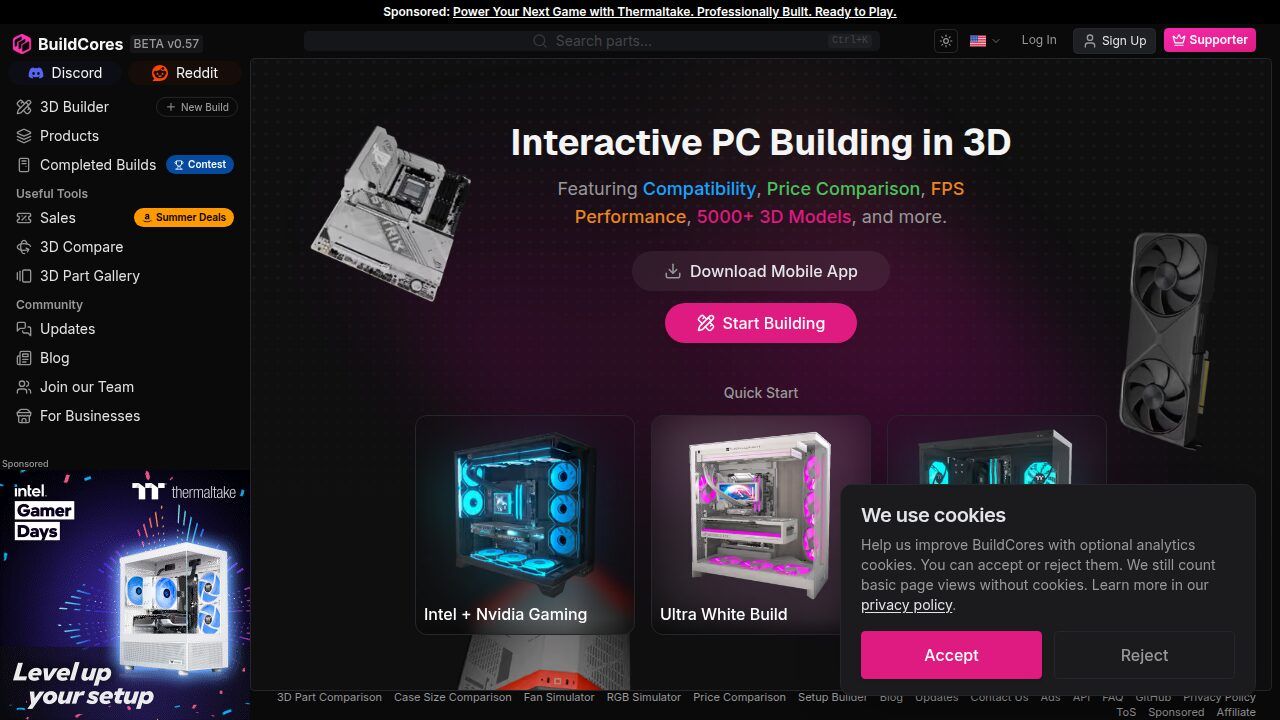
  • BuildCores: a 3D PC builder that lets you see your rig before you buy it.
  • Pangoly: a low-key PC builder with long-term price history and 25 regions.

Not sure whether to build it yourself or buy from a system builder? Read our guide to the best website to build your gaming PC.

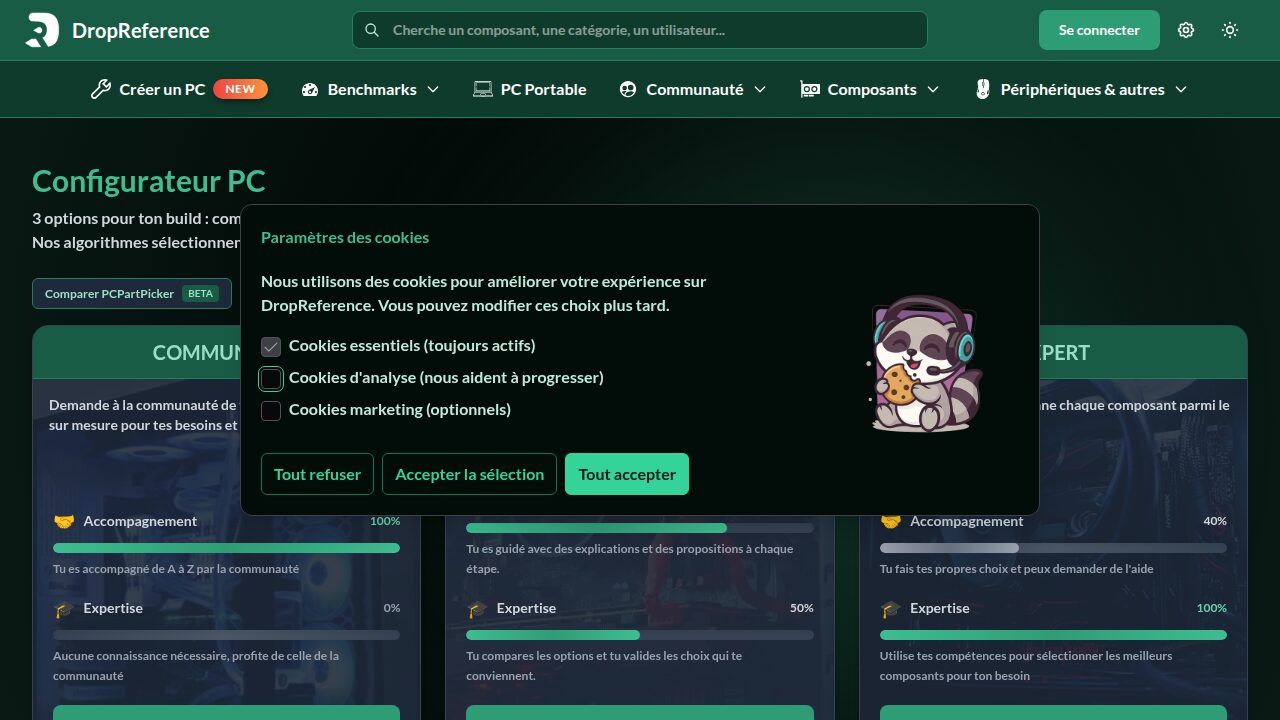
DropReference: the European PCPartPicker alternative, with the build-pc configurator

We will start with the one we know best, since it is ours. DropReference is a hardware price comparison site and PC builder launched in May 2021 by a French company. It tracks prices and stock from around 28 retailers across France, the eurozone, the UK and the US, and refreshes them several times a day. You pick your shipping country (United States, United Kingdom, France, Germany, Spain, Italy, the Netherlands, Belgium, Luxembourg, Switzerland or India) and only see offers that ship to you. It is free with no subscription, and available in English, French, Spanish and German.

Where the DropReference build-pc configurator really stands out from PCPartPicker is that it adapts to your experience level with three modes:

  • Community mode. Describe your budget, the games you play and what you expect, and enthusiasts from the community (over 15,000 members) suggest a custom build with explanations. No hardware knowledge needed.
  • Guided mode. Enter your budget, region, display resolution and performance goals. The builder suggests matching GPU and CPU options, then walks you through each step (case, graphics card, cooling, RAM, power supply, storage, motherboard) with choices that stay compatible.
  • Expert mode. Full freedom: pick every part from the whole catalog, with automatic compatibility checks (socket, PSU wattage and more) and live prices.
Configurateur PC DropReference avec modes communautaire guidé et expert Click to enlarge

What makes the difference day to day

First, real people. On DropReference, the community is not a forum bolted onto the side of the site: it is part of the build process. You can get your build reviewed and receive feedback before you spend anything. For a first-time builder, that changes everything.

Second, measured performance. The graphics card comparison tool uses FPS measured by the team across 148 games on the same test platform for every card, rather than estimates based on spec sheets. You can also start a build from a game, a graphics quality level and a target frame rate.

Third, alerts. The iOS and Android app notifies you when a component’s price drops, wherever you are. For a closer look at each mode, see our overview of the DR configurator.

The limits

To be fair, DropReference focuses on France, the rest of Europe, the UK and the US, so PCPartPicker still covers more countries. There is also no 3D render of your build. If you want to see your PC from every angle before buying, BuildCores is the tool for that.

BuildCores: the 3D PC builder to see your rig before you buy

If you want to see your PC before you buy it, BuildCores is made for you. This American PC builder, available on the web and as an iOS and Android app, lets you assemble your parts in an interactive 3D space: rotate the build, zoom in, and check that everything fits in the case.

BuildCores simulateur PC 3D avec visualisation interactive Click to enlarge

BuildCores lists more than 5,000 3D models and more than 50,000 parts, checks compatibility as you build, and compares live prices across retailers. Its app highlights the United States, Canada, the United Kingdom, Germany and Australia among its supported regions.

The standout features

  • FPS estimates. BuildCores estimates how your build will perform in popular games before you buy.
  • Airflow planner. In supported cases, you place fans, set intake or exhaust and show airflow arrows. It is not a full thermal simulation, but it helps you catch a backwards fan.
  • RGB simulator. Preview lighting on the complete build with SignalRGB effects, custom colors and brightness control.
  • Augmented reality and full setup. Place your build at scale in your room and plan your whole desk with monitors, keyboard and mouse.
  • Reddit export. The app exports your parts list as a Reddit-friendly table or plain text so you can ask r/buildapc for feedback.

The business model

BuildCores is freemium. The basic builder is free and needs no account to start. An optional Pro plan, billed monthly or yearly, unlocks features such as augmented reality, the airflow view, FPS estimates and an ad-free experience. It is fairly inexpensive, but it is the only tool in this list with a paid tier.

The limits

BuildCores shines on visuals, but check which retailers it lists for your country, especially outside its highlighted regions. There is no mode where the community builds a PC for you: you can browse shared builds, but the choices are yours. And several headline features sit behind the Pro plan.

Pangoly: the low-key PC builder with price history

Pangoly is the underdog of this list. Less famous than PCPartPicker, this free PC builder has been around since 2014 and gets the job done without fuss. The interface is plain and sometimes a bit dated, but the tool is solid.

You build your PC part by part, with filters by specs. The engine checks compatibility, suggests a better part when one is available, and compares prices across several retailers. You can even add a part manually if it is missing from the catalog.

What Pangoly adds

  • 25 regions. Pick your region in the store selector, including the US, the UK, Canada, Australia, France, Germany, Spain and Italy, and prices come from local retailers.
  • Price history and trends. Pangoly shows price changes over long periods (up to 5 years for category trends) to help you decide when to buy.
  • Email price alerts. Set a target on a product page and get an email when the price drops below it (not available for every retailer).
  • Starter builds and comparisons. Ready-made builds by budget and use case, plus head-to-head part comparisons and benchmarks.

The limits

Prices are updated once a day, less often than on DropReference or BuildCores. There is no guided mode and no community-made builds: it is just you and the engine. The interface could also use a refresh, as some pages feel quite dated in 2026.

Pangoly is still a good lightweight PCPartPicker alternative, especially if you like checking price history before you buy.

Criterion DropReference BuildCores Pangoly PCPartPicker (benchmark)
Cost Free, no subscription Free, optional Pro plan (monthly or yearly) Free Free
EU and UK coverage Around 28 retailers: France, eurozone, UK and US; choose your shipping country Several regions (US, Canada, UK, Germany, Australia and more) 25 regions, including UK, France, Germany, Spain and Italy Separate country sites (fr., de., es., it., uk.…), no single EU site
Interface languages English, French, Spanish, German English English, Italian English
Price updates Several times a day Hourly (per the app) Once a day Not stated
Automatic compatibility checks Yes Yes Yes Yes
Community-made builds Yes, Community mode (15,000+ members) No (shared builds to browse) No No (forums and shared builds)
Beginner help Community and Guided modes Starter builds Starter builds by budget Build guides
Price alerts Yes, app notifications Sales feed in the app Yes, by email Yes
Price history 30-day GPU market trend Not highlighted Yes, trends up to 5 years Yes, trend charts
3D preview No Yes (5,000+ models, AR with Pro) No No
FPS data FPS measured across 148 games (GPU comparison), builds from a target frame rate FPS estimates (Pro) Component benchmarks No
Mobile app iOS and Android iOS and Android Website only Website only
Swipe to view more

FAQ: PCPartPicker in the EU and the best alternatives

Is there a PCPartPicker EU site?

No. PCPartPicker runs separate country sites (France, Germany, Spain, Italy, Belgium, the Netherlands, the UK and more) rather than one European site. DropReference covers several European countries, the UK and the US on a single site: you choose your shipping country and see the matching offers.

What is the best PCPartPicker alternative?

It depends on your needs. For European prices and help choosing parts, DropReference is the most complete. For 3D previews, BuildCores is in a league of its own. For price history, Pangoly is the easiest to use.

Is PCPartPicker free?

Yes. PCPartPicker is free and funded by affiliate links, the same model as DropReference and Pangoly. BuildCores is the only tool in this list with a paid Pro plan for some advanced features.

What is the best alternative for a complete beginner?

DropReference. Community mode lets you ask enthusiasts to put a build together for you: describe your budget and needs, and you get suggestions with explanations. If you would rather choose yourself with some help, Guided mode bridges the gap. Start your build on DropReference.

Can I get price alerts on my phone?

Yes. The DropReference app (iOS and Android) notifies you when a price drops. PCPartPicker also offers price alerts, Pangoly sends email alerts, and BuildCores has a sales feed in its app.

Which one should I choose?

In Europe or the UK, new to PC building, or looking for a community to help: DropReference. To see your PC in 3D before buying: BuildCores. To track price history: Pangoly.

Nothing stops you from combining them: DropReference for European prices and community help, BuildCores to check in 3D that everything fits in the case. And if you are wondering whether now is the right time to buy, read our analysis on building a gaming PC during the RAM and GPU crisis.