Best WiFi 7 Motherboard in 2026: B850 Aorus Elite, Tomahawk, TUF B850-Plus, Strix B850-F or Z890 Aorus Elite, Which One to Choose?

best wifi 7 motherboard wifi 7 motherboard b850 wifi 7 motherboard am5 wifi 7 motherboard wifi 7 vs wifi 6e motherboard b850 tomahawk wifi tuf b850-plus wifi z890 aorus elite wifi7

Which WiFi 7 motherboard should you choose in 2026? We compare AM5 B850 boards (Gigabyte B850 AORUS ELITE WIFI7, MSI MAG B850 TOMAHAWK WIFI, ASUS TUF GAMING B850-PLUS WIFI, ROG STRIX B850-F), X870 and X870E boards with USB4, and the Z890 AORUS ELITE WIFI7 for Intel: WiFi standard checked on manufacturer spec sheets, 160 or 320 MHz channels, Windows 11 24H2, LAN, M.2 and USB.

The short answer: which WiFi 7 motherboard to choose in 2026

Every board in this guide has a genuine WiFi 7 (802.11be) module and Bluetooth 5.4, checked against the manufacturers' spec sheets. So the choice mostly comes down to the platform, wired networking, storage and USB. Our picks:

  • Best value on AM5: the ASUS TUF GAMING B850-PLUS WIFI, which really is WiFi 7 despite what you sometimes read.
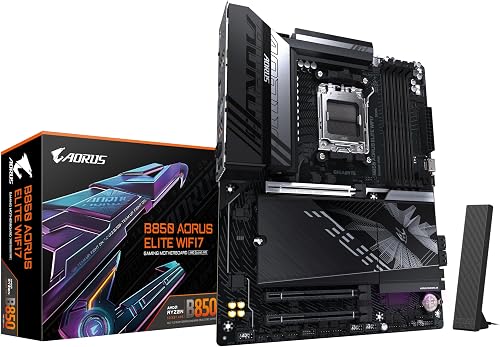
  • The most balanced B850: the GIGABYTE B850 AORUS ELITE WIFI7 (or its white ICE version).
  • If you also use a network cable: the MSI MAG B850 TOMAHAWK WIFI and its 5 GbE port.
  • For lots of SSDs: the ASUS ROG STRIX B850-F GAMING WIFI and its 4 M.2 slots, 2 of them PCIe 5.0.
  • For USB4 on AM5: the ASRock X870 Steel Legend WiFi, or the GIGABYTE X870E AORUS ELITE WIFI7 and its 3 PCIe 5.0 M.2 slots.
  • On the Intel side: the GIGABYTE Z890 AORUS ELITE WIFI7, with Thunderbolt 4.

Current prices and availability are shown in each product box below. For choosing a chipset in general, our motherboard guide covers both AMD and Intel.

WiFi 7 on a motherboard: what actually changes

WiFi 7 (the IEEE 802.11be standard) brings three main new features compared with WiFi 6E: channels up to 320 MHz wide in the 6 GHz band, denser 4096-QAM modulation, and MLO (Multi-Link Operation), which uses several bands at once for more throughput and stability. The theoretical speeds of several tens of Gbit/s quoted everywhere refer to the full standard, not to a motherboard's module.

The detail spec sheets don't highlight: 160 or 320 MHz

Every board in our selection uses a 2x2 module limited to 160 MHz channels. ASUS and MSI quote up to 2.9 Gbit/s for this type of module. 320 MHz channels, which double that maximum speed, are still rare on motherboards in this price range: at Gigabyte, for example, you have to step up to the Z890 AORUS ELITE WIFI7 PLUS, a separate variant fitted with an Intel BE200 module. In practice, 2.9 Gbit/s is already well beyond most fiber internet plans.

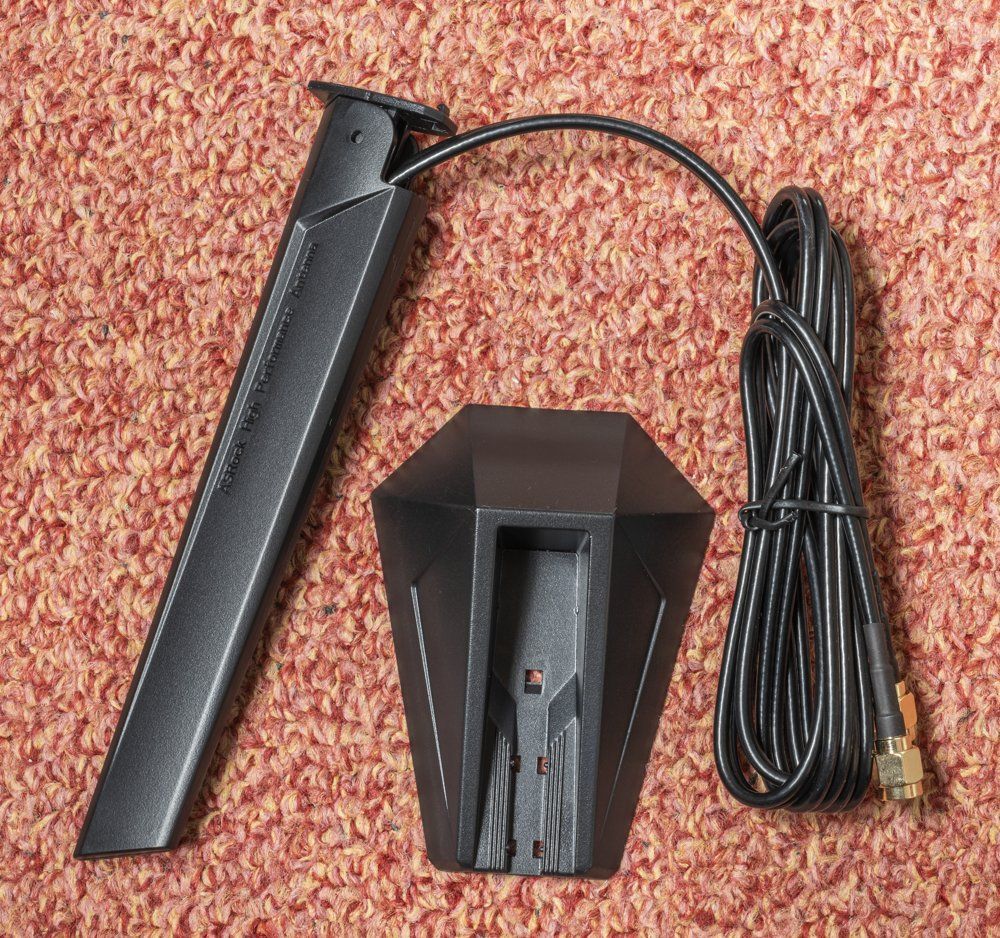
Antenne WiFi magnétique externe livrée avec une carte mère, posée à côté de son socle Click to enlarge

What you need to take advantage of it

  • Windows 11 24H2 or later: ASUS and MSI state that the WiFi 7 features require it. On earlier versions of Windows 11, the TUF B850-Plus module runs as WiFi 6E. Gigabyte and ASRock say there is no WiFi 7 driver for Windows 10.
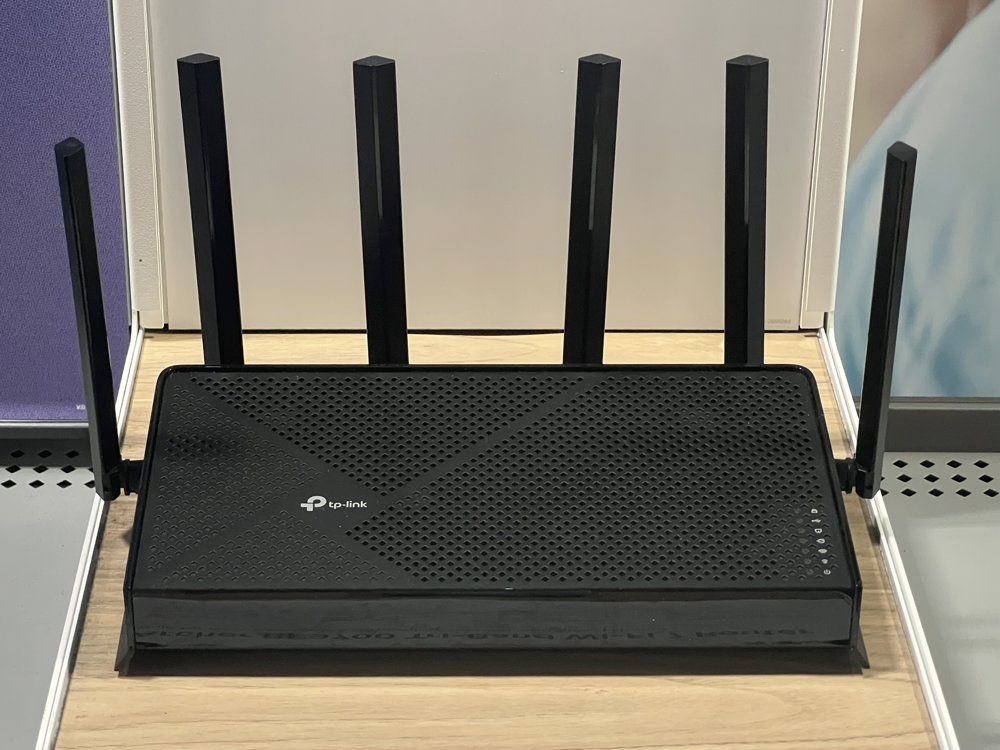
  • A WiFi 7 router: without a compatible access point, the board simply connects using your router's standard.
  • The 6 GHz band: its availability depends on each country's regulations. In Europe, the portion open to WiFi is narrower than in the United States, which limits the number of wide channels available.
  • The antennas: the boards come with an external antenna that plugs into the back; place it up high, outside the case, rather than behind a PC sitting on the floor.
Routeur WiFi 7 tri-bande avec ses huit antennes, posé sur une étagère Click to enlarge
Motherboard Platform WiFi (max channel) LAN M.2 Strength
GIGABYTE B850 AORUS ELITE WIFI7 AM5 · B850 WiFi 7 · 160 MHz 2.5 GbE 3 (1 PCIe 5.0) Balance, directional antenna
MSI MAG B850 TOMAHAWK WIFI AM5 · B850 WiFi 7 · 160 MHz 5 GbE 3 (1 PCIe 5.0) Best wired networking
ASUS TUF GAMING B850-PLUS WIFI AM5 · B850 WiFi 7 · 160 MHz 2.5 GbE 3 (1 PCIe 5.0) Most affordable
ASUS ROG STRIX B850-F GAMING WIFI AM5 · B850 WiFi 7 · 160 MHz 2.5 GbE 4 (2 PCIe 5.0) Storage
ASRock X870 Steel Legend WiFi AM5 · X870 WiFi 7 · 160 MHz 2.5 GbE 3 (1 PCIe 5.0) 2 USB4
GIGABYTE X870E AORUS ELITE WIFI7 AM5 · X870E WiFi 7 · 160 MHz 2.5 GbE 4 (3 PCIe 5.0) 2 USB4, storage
GIGABYTE Z890 AORUS ELITE WIFI7 LGA 1851 · Z890 WiFi 7 · 160 MHz 2.5 GbE 4 Thunderbolt 4
Swipe to view more

The best B850 WiFi 7 motherboards for AM5

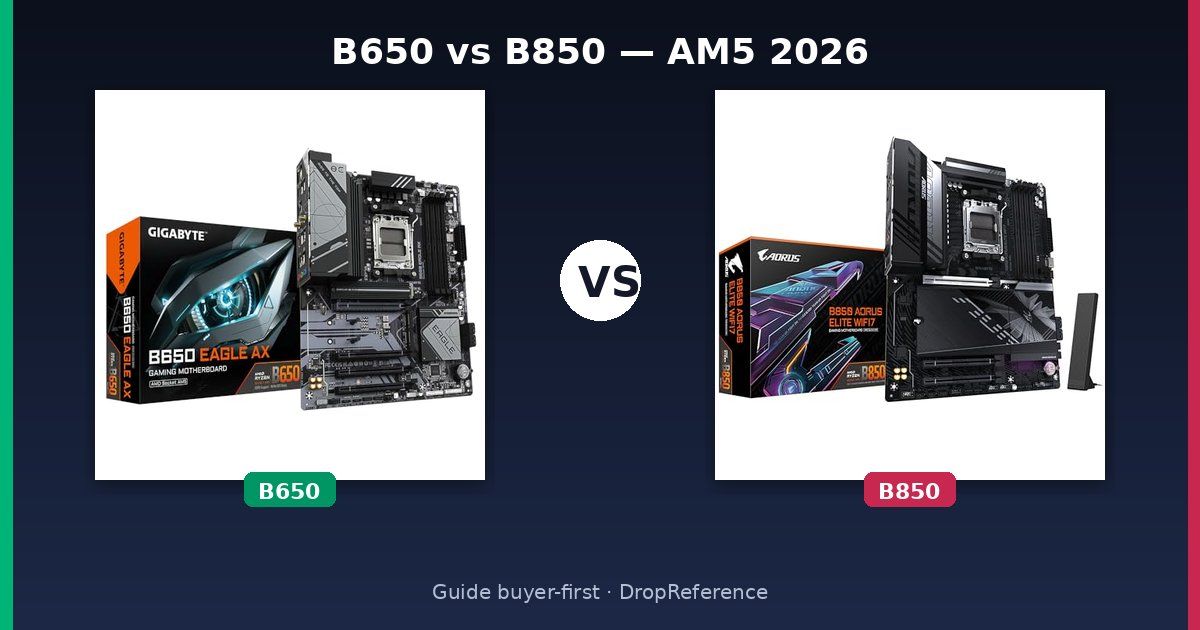
The B850 chipset is enough for the vast majority of gaming PCs running a Ryzen 7000, 8000 or 9000: PCIe 5.0 for the main SSD and overclocking support. Be careful, though: not every B850 "WIFI" is WiFi 7; MSI, for example, sells models whose names end in WIFI6E. If you're torn between it and an older B650, our B650 vs B850 comparison covers the differences. And for a Ryzen X3D, the B850 AORUS ELITE X3D is also worth a look.

GIGABYTE B850 AORUS ELITE WIFI7

The most balanced B850 in the selection: 14+2+2 phase VRM, 3 M.2 slots including one PCIe 5.0, 2.5 GbE LAN and a Realtek RTL8922AE WiFi 7 module with Bluetooth 5.4. Gigabyte supplies a high-gain directional antenna and the WIFI EZ-Plug connector, which combines the two antenna jacks into one. A white version, the B850 AORUS ELITE WIFI7 ICE, has the same networking specs.

Pros
  • WiFi 7 (802.11be, 160 MHz) and Bluetooth 5.4
  • PCIe 5.0 x16 and PCIe 5.0 M.2
  • Directional antenna and WIFI EZ-Plug
Cons
  • Only 2.5 GbE LAN
  • No 320 MHz WiFi channels
  • No WiFi 7 driver for Windows 10
FranceCheck the price in my country
MSI MAG B850 TOMAHAWK WIFI (7E53-001R)

The board to pick if you also connect your PC by cable: it's the only B850 in this guide with a 5 GbE network port (Realtek 8126VB). Watch the name: this is the MAG B850 TOMAHAWK WIFI, not the Tomahawk MAX WiFi. Its MSI spec sheet confirms a pre-installed WiFi 7 module (2.4, 5 and 6 GHz, 160 MHz channels, up to 2.9 Gbit/s) with Bluetooth 5.4, plus a 14-phase 80 A VRM and 3 M.2 slots including one PCIe 5.0.

Pros
  • WiFi 7 confirmed by MSI (160 MHz, up to 2.9 Gbit/s), Bluetooth 5.4
  • 5 GbE LAN, the best wired networking of the B850s in this guide
  • 20 Gbit/s rear USB-C, 3 M.2 including 1 PCIe 5.0
Cons
  • Name close to the Tomahawk MAX WiFi: check for part number 7E53-001R
  • No 320 MHz WiFi channels
  • 6 GHz and Bluetooth 5.4 require Windows 11 24H2
FranceCheck the price in my country
ASUS TUF GAMING B850-PLUS WIFI

The most affordable B850 WiFi 7 in our selection. It really is WiFi 7: ASUS lists a 2x2 802.11be module with 160 MHz channels, up to 2.9 Gbit/s, and Bluetooth 5.4. The confusion comes from an ASUS note: on Windows 11 21H2, 22H2 or 23H2, this module only works as WiFi 6E; you need version 24H2 for the WiFi 7 features. The rest: 14+2+1 phase VRM, 3 M.2 slots including one PCIe 5.0, and Realtek 2.5 GbE LAN.

Pros
  • 2x2 WiFi 7 confirmed by ASUS (160 MHz, 2.9 Gbit/s)
  • Q-Antenna and internal Thunderbolt (USB4) header
  • Good rear USB selection (10 ports)
Cons
  • Only WiFi 6E until you're on Windows 11 24H2
  • The 2nd PCIe x16 slot is disabled if you use the 3rd M.2
  • Realtek 2.5 GbE LAN
FranceCheck the price in my country
ASUS ROG STRIX B850-F GAMING WIFI

ASUS ROG STRIX B850-F GAMING WIFI

the B850 WiFi 7 for storage

Storage
Networking
Connectivity

Pros

  • • 4 M.2 slots, 2 of them PCIe 5.0
  • • 2x2 WiFi 7 (160 MHz, 2.9 Gbit/s) and Bluetooth 5.4 according to ASUS
  • • Intel 2.5 GbE LAN, SupremeFX ALC4080 audio

Cons

  • • Only 2 SATA ports
  • • M.2_3 is disabled if you use the 2nd PCIe x16 slot
  • • Pricier than the TUF B850-Plus

X870 and X870E WiFi 7: for USB4 and more PCIe 5.0

The X870 and X870E chipsets make USB4 mandatory, and X870E adds more PCIe lanes. That's useful if you have a fast external SSD or enclosure, or want several PCIe 5.0 SSDs. For a typical gaming PC, the gap with a good B850 is mostly about connectivity; our best X870E motherboard vs B850 guide goes further into the high end.

ASRock X870 Steel Legend WiFi

An X870 for the AM5 socket (not AM4) that adds two 40 Gbit/s USB4 Type-C ports on the back, which can also output video from Ryzen chips with integrated graphics. The 2x2 WiFi 7 module handles 6 GHz with 160 MHz channels and Bluetooth 5.4, backed by Realtek 2.5 GbE LAN. The white PCB and 14+2+1 phase 80 A VRM round things out.

Pros
  • 2 rear 40 Gbit/s USB4 Type-C ports
  • 2x2 WiFi 7 and Bluetooth 5.4
  • ALC4082 audio codec, white PCB
Cons
  • Only 3 M.2, 1 of them PCIe 5.0
  • 2.5 GbE LAN
  • No 320 MHz WiFi channels
FranceCheck the price in my country
GIGABYTE X870E AORUS ELITE WIFI7

The storage and connectivity pick: 4 M.2 slots, 3 of them PCIe 5.0 wired to the CPU, 2 USB4 Type-C ports and a 16+2+2 phase VRM. WiFi 7 comes from a MediaTek MT7925 module (revision 1.0) or Realtek RTL8922AE (later revisions), always with 160 MHz channels and Bluetooth 5.4. Note: if you populate the M2B or M2C slots, the graphics slot drops to x8.

Pros
  • 4 M.2 including 3 PCIe 5.0
  • 2 USB4 Type-C with DisplayPort output
  • WiFi 7 and Bluetooth 5.4, 2.5 GbE LAN
Cons
  • The graphics slot drops to x8 if the M2B or M2C slots are used
  • WiFi module differs depending on board revision
  • Pricier than the B850s in this guide
FranceCheck the price in my country

On the Intel side: the Z890 AORUS ELITE WIFI7

On Intel, Core Ultra 200S chips use the LGA 1851 socket and the Z890 chipset for overclocking. The Z890 AORUS ELITE WIFI7 is the counterpart of the B850 AORUS ELITE, with a Thunderbolt 4 port on top. To choose the processor that goes on it, see our Intel processor guide.

GIGABYTE Z890 AORUS ELITE WIFI7

The go-to Intel board for Core Ultra 200S (LGA 1851 socket). It combines a 16+1+2 phase VRM, 4 M.2 slots, a rear Thunderbolt 4 (USB4) Type-C port and 2.5 GbE LAN. WiFi 7 comes from a MediaTek MT7925 module (revision 1.0) or Realtek RTL8922AE (revision 1.1), at 160 MHz with Bluetooth 5.4. The separate Z890 AORUS ELITE WIFI7 PLUS variant moves to 5 GbE LAN and an Intel BE200 module that supports 320 MHz.

Pros
  • Rear Thunderbolt 4 (USB4)
  • 4 M.2 slots
  • WiFi 7 and Bluetooth 5.4
Cons
  • LGA 1851 platform: no upgrade path to Ryzen
  • No 320 MHz WiFi channels (reserved for the PLUS version)
  • 2.5 GbE LAN
FranceCheck the price in my country

How to choose a WiFi 7 motherboard: the checklist

  1. Start with the processor. A Ryzen requires an AM5 board, a Core Ultra 200S an LGA 1851 board. Our AMD processors guide and our review of the Ryzen 7 9800X3D will help you decide.
  2. Check the exact standard, not just the name. A "WIFI" board isn't necessarily WiFi 7: look for "802.11be" on the manufacturer's spec sheet, and check the channel width (160 or 320 MHz).
  3. Look at the network port. If your PC is close to the router, a cable is still more stable than any WiFi: the Tomahawk's 5 GbE then becomes a real selling point.
  4. Count your SSDs. 3 M.2 slots are enough for most builds; beyond that, go for the Strix B850-F or the X870E AORUS ELITE, keeping PCIe lane sharing in mind.
  5. Pick your USB. For an external SSD enclosure or a fast dock, USB4 (X870, X870E) or Thunderbolt 4 (Z890) makes the difference.
  6. Think about the BIOS. With a processor released after the board, update the BIOS: the boards in this guide have a rear BIOS update button (BIOS FlashBack, Flash BIOS or Q-Flash Plus depending on the brand) that works without a CPU installed.

WiFi 7 or Ethernet cable: which is better for gaming?

For online gaming, an Ethernet cable is still the benchmark: lower, more consistent latency and no interference. WiFi 7 narrows the gap, especially with MLO and the uncrowded 6 GHz band, but it depends on distance, walls and the router. The smart move: cable if you can, WiFi 7 if the PC is far from the router. Either way, these boards have you covered, with the Tomahawk ahead for wired.

FAQ: WiFi 7 motherboards

Do you need a WiFi 7 router to benefit from a WiFi 7 motherboard?

Yes, for the standard's new features (MLO, wide 6 GHz channels). With a WiFi 6 or 6E router, the board works normally, but at the router's standard.

Does WiFi 7 work on Windows 10?

No: Gigabyte and ASRock say there is no WiFi 7 driver for Windows 10, and ASUS and MSI require Windows 11 24H2 for the WiFi 7 features.

Is the MSI MAG B850 Tomahawk WiFi WiFi 7?

Yes. MSI's spec sheet for the MAG B850 TOMAHAWK WIFI (part number 7E53-001R, without "MAX") lists a 160 MHz WiFi 7 module at up to 2.9 Gbit/s and Bluetooth 5.4.

Is the ASUS TUF Gaming B850-Plus WiFi WiFi 6E or WiFi 7?

WiFi 7, according to ASUS. It only runs as WiFi 6E on Windows 11 versions earlier than 24H2, hence the confusion.

Can you add WiFi 7 to a motherboard that doesn't have it?

Yes, with a PCIe WiFi 7 card, as long as you have a free slot and Windows 11 (version 24H2 for the WiFi 7 features). Buying the WIFI version of a motherboard in the first place is often simpler.

Conclusion: the right WiFi 7 motherboard depends on your platform
On AM5, the TUF GAMING B850-PLUS WIFI is the best entry point, the B850 AORUS ELITE WIFI7 the most balanced choice, the MAG B850 TOMAHAWK WIFI the best if you also use a cable, and the ROG STRIX B850-F the most generous with M.2. If you want USB4, the ASRock X870 Steel Legend WiFi and the X870E AORUS ELITE WIFI7 take over. On the Intel side, the Z890 AORUS ELITE WIFI7 ticks every box. Either way, keep in mind that these boards are WiFi 7 at 160 MHz: that's plenty, but not the standard's maximum.